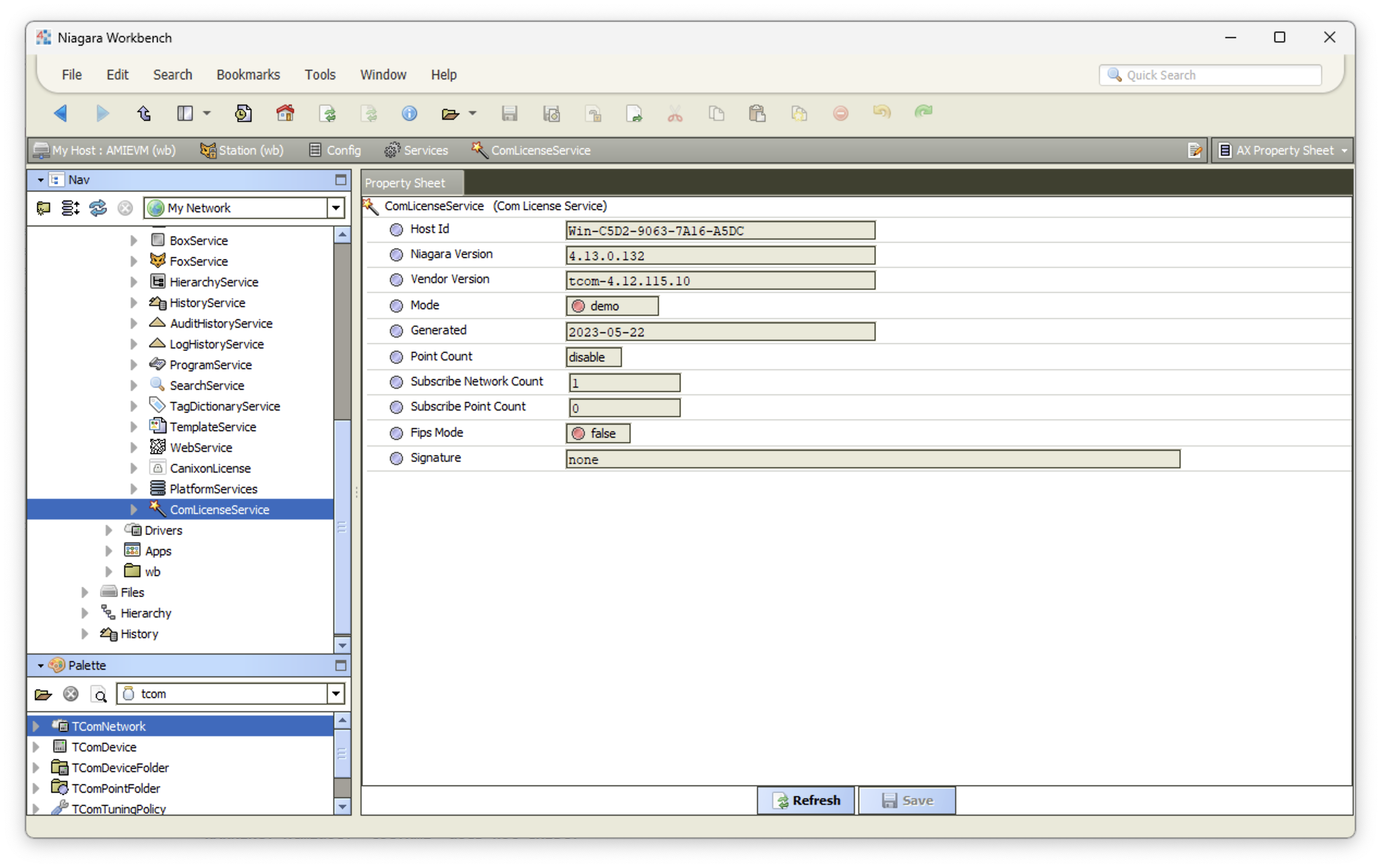
Signature/Unlock Code
Follow the step as below to insert the signature:-
- Open the JACE station.
- Navigate to config and Services folder.
- Click XXXLicenseService.
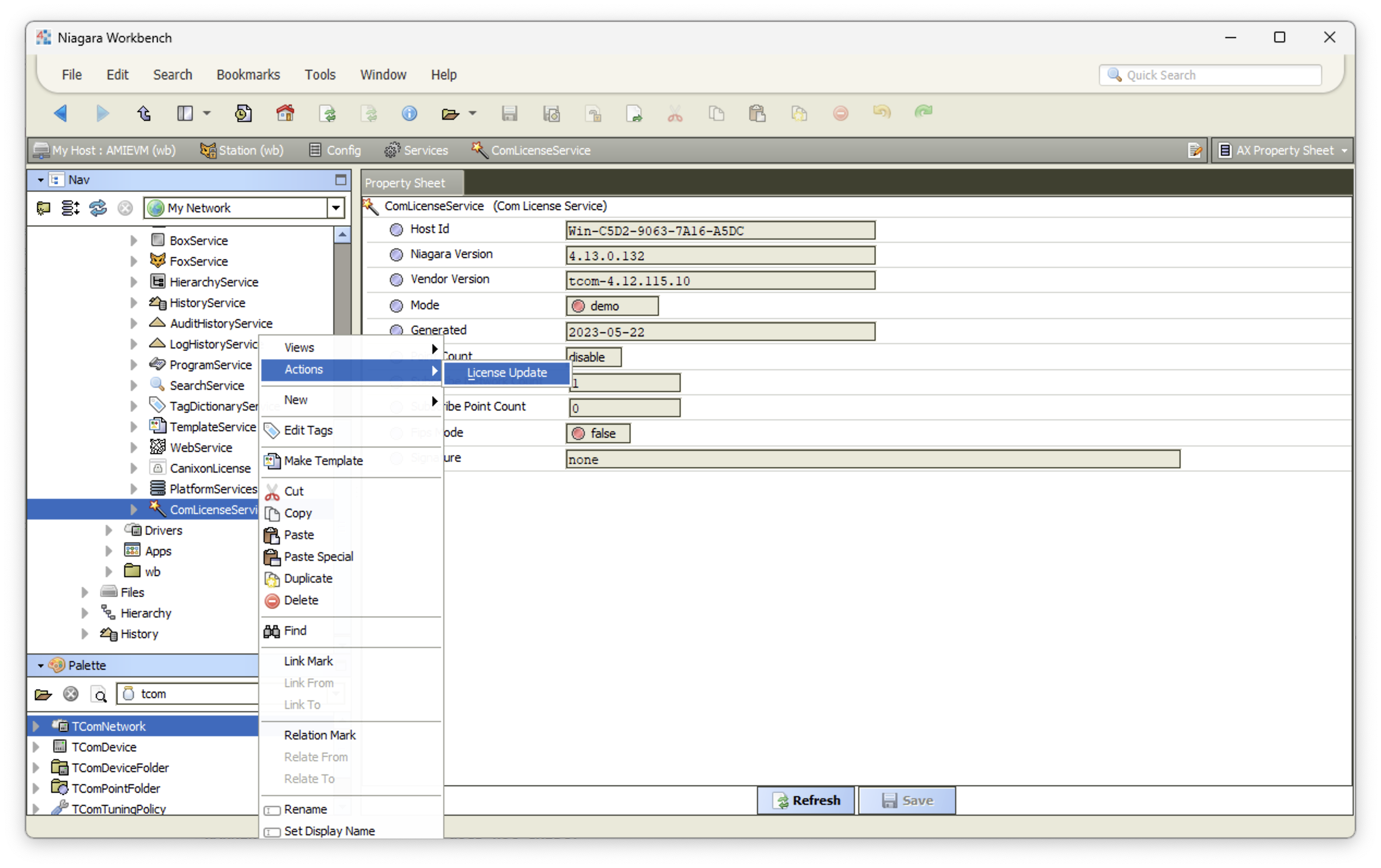
- Click right mouse button, Action -> License Updated.
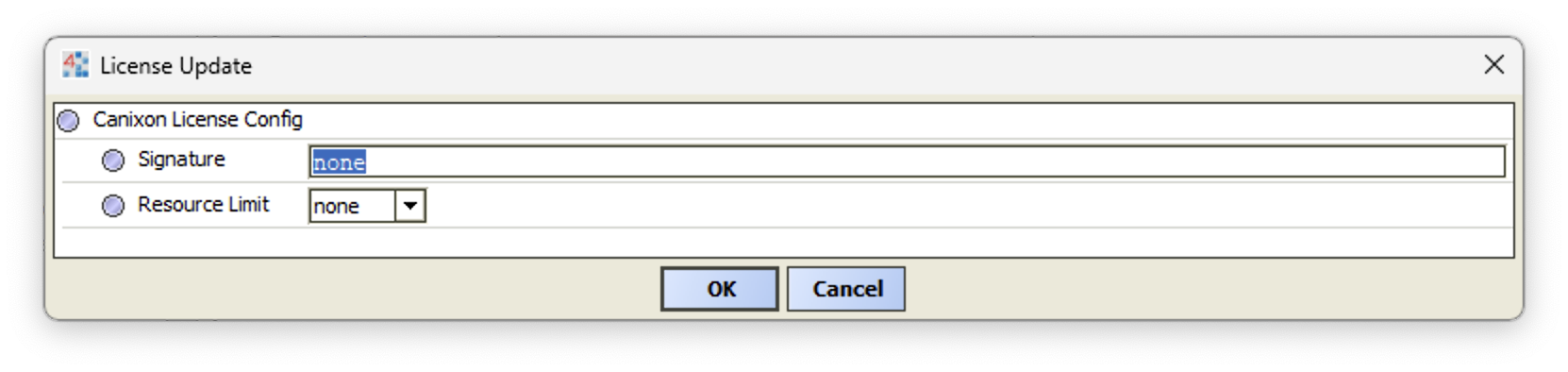
- Dropdown and select purchase point limit. Finally key in the valid signature code.
- The system will validate the signature code, once the valid signature insert the mode will turn to registered, otherwise the mode will remain demo.