License Backup
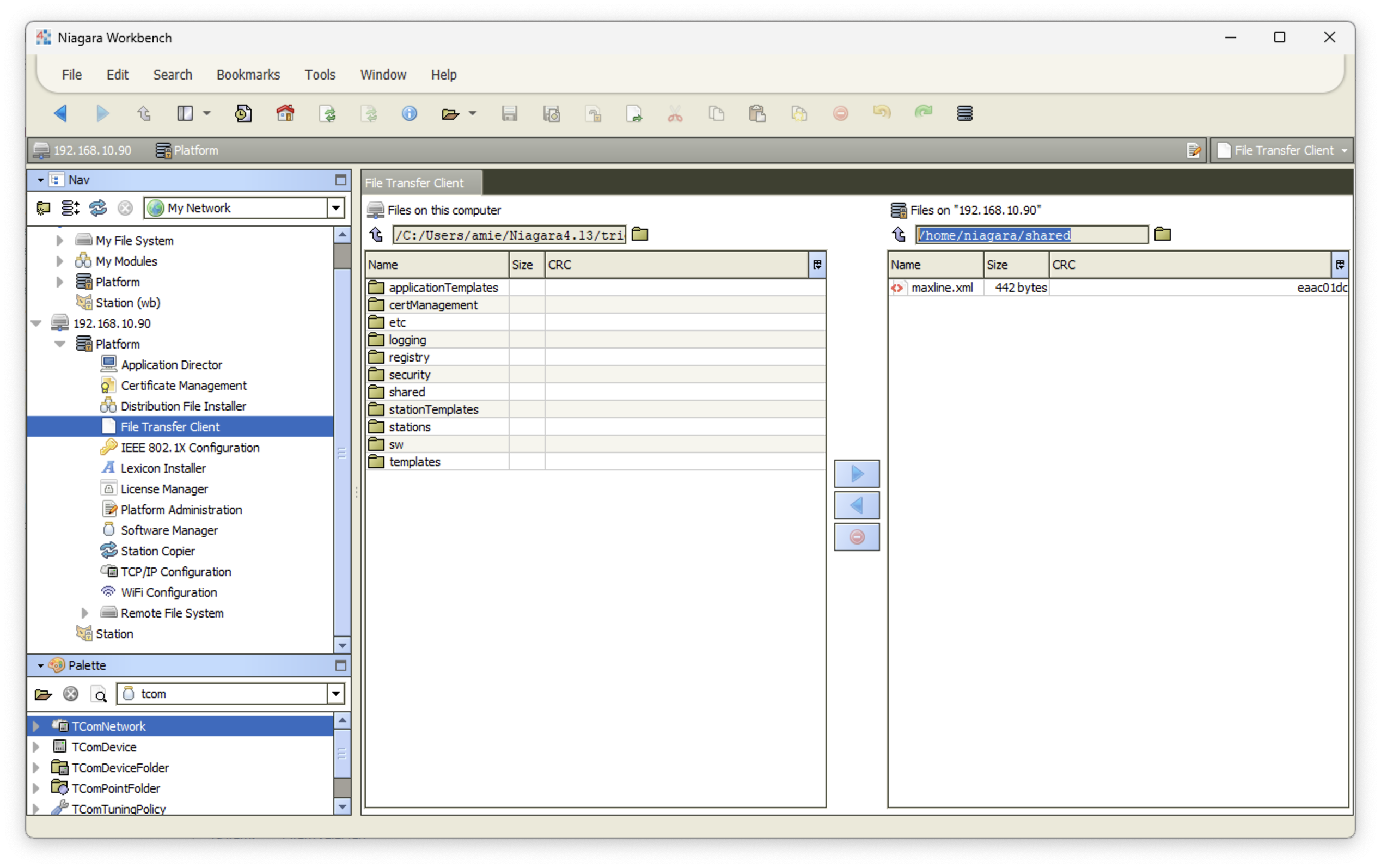
To backup the existing license before cleanDist or upgrading the Niagara version, follow the step as below:-
- Open the JACE platform.
- Navigate to platform and look for "File Transfer Client".
- Left hand side represent our local folder and the left hand side represent the JACE folder.
- Create the nessary folder to store the license file, later this can be use to re-installed.
- Navigate the JACE folder to /home/niagara/shared/maxline.xml.
- Transfer the file to local folder machine.